How to transfer data from Accu-Chek Mobile
1. You will need the following
- Your PC running Windows
- Micro USB standard lead
- An active internet connection only required to download the Smart Pix software
2. Download and install Smart Pix
- Download the Smart Pix installation file.
Download Smart Pix Software (version 3.2.5)
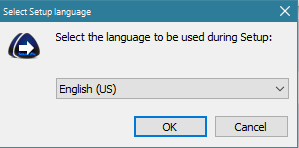
- Once the installation file has completed, please run it. Next select your preferred language, read, and if happy, accept the terms and conditions before selecting the target folder where you wish to install Smart Pix.
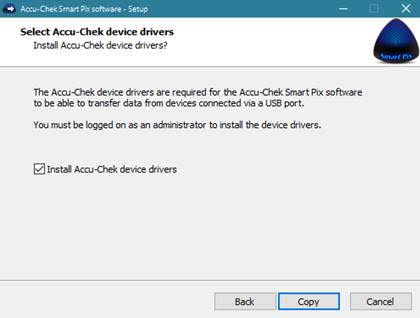
- Make sure to tick the box to install the
Accu-Chek device drivers.
3. Make the connection
-
Ensure your
Accu-Chek Mobile meter is still switched off, then using a micro USB cable, plug yourAccu-Chek Mobile meter into your computer. The communication mode on your meter will turn on automatically.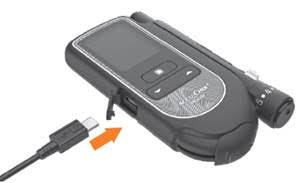
-
Next run the
Accu-Chek Smart Pix software and click the button read device. The Help button on the top bar will enable you to access the Reference Manual of the Smart Pix software.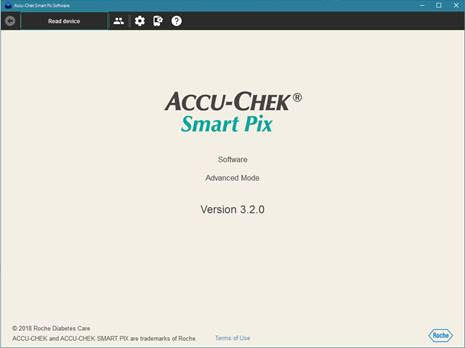
*If you do not have a standard micro USB cable, please contact the
How to transfer data from other devices
1. You will need the following
- Your PC running Windows
- Micro USB standard lead
- An active internet connection only required to download the Smart Pix software
2. Download and install Smart Pix
-
Download the Smart Pix installation file.
Download Smart Pix Software (version 3.2)
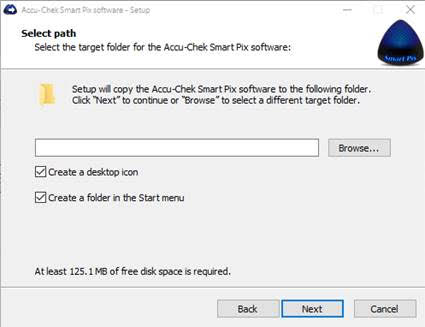
- Make sure to tick the box to install the
Accu-Chek device drivers. -
Once the installation file has completed, please run it. Next select your preferred language, read, and if happy, accept the terms and conditions before selecting the target folder where you wish to install Smart Pix.
3. Make the connection
-
Download the
Accu-Chek Smart Pix Diabetes Management System User's Manual (PDF, 4.3 mb) For instructions on how to transfer data from yourAccu-Chek blood glucose meter or insulin pump system to theAccu-Chek Smart Pix software using a standard micro USB cable.
*If you do not have a standard micro USB cable, please contact the
Accu-Chek Smart Pix software accessories
Which Accu-Chek blood glucose meters and insulin pumps can transfer data by infrared?
Blood glucose monitoring systems:
Accu-Chek Mobile (model until October 2012)Accu-Chek ActiveAccu-Chek AvivaAccu-Chek Aviva ExpertAccu-Chek Aviva NanoAccu-Chek Compact PlusAccu-Chek PerformaAccu-Chek Performa Nano
Insulin pump systems:
Accu-Chek Spirit comboAccu-Chek Spirit
Note:
Which Accu-Chek blood glucose meters and insulin pumps can transfer data by a standard micro USB cable?
All other
User manuals and downloads